
Blog
Blog
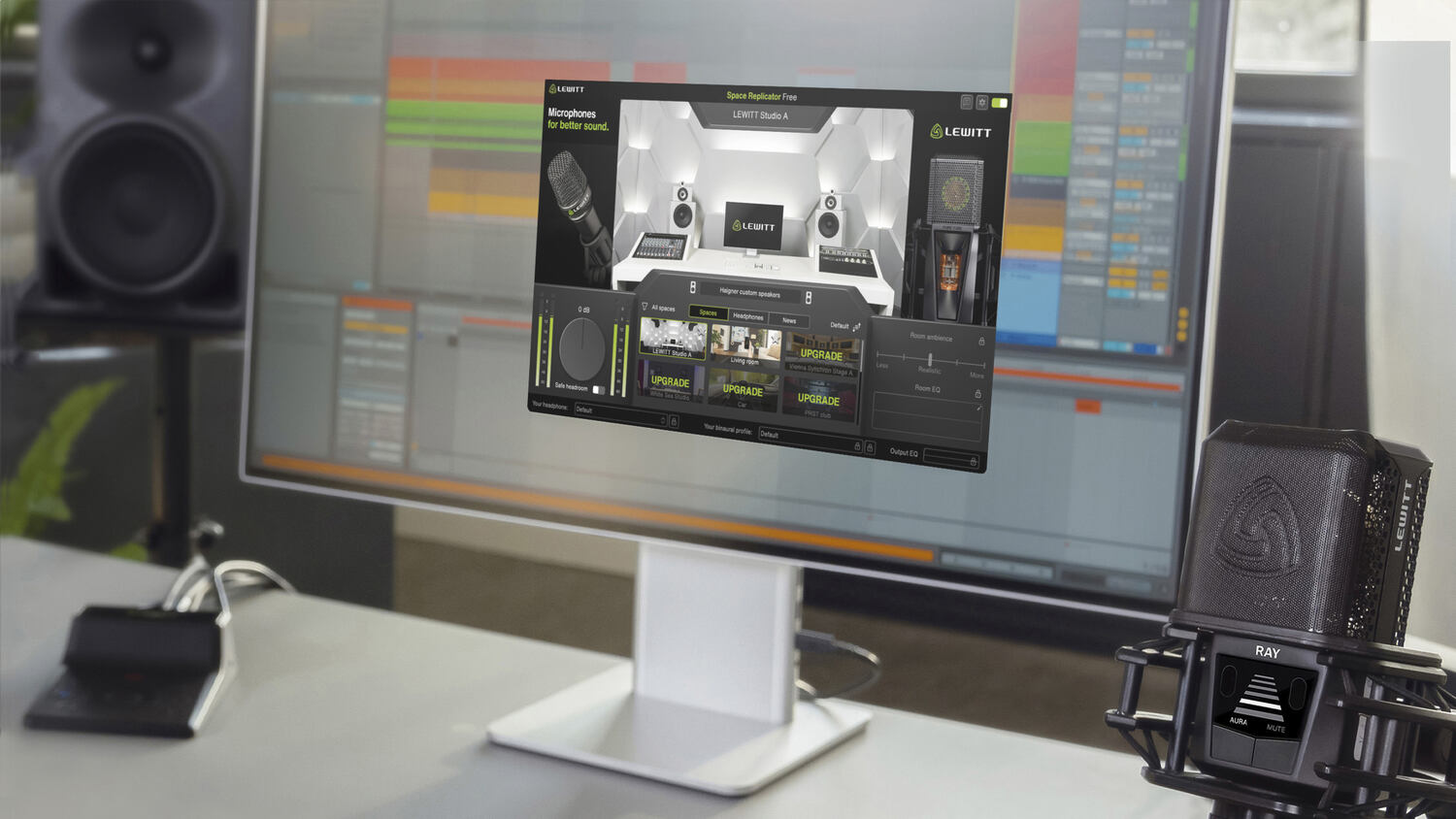
A free plugin chain can hold its own in professional work. The gap between free and paid plugins has narrowed sharply, and in a few categories it has practically disappeared.
These are free mixing plugins worth installing, covering seven jobs in a mix: monitoring, EQ, compression, saturation, de-essing, reverb, and metering. All the tools covered in this blog have been checked against the developer’s own page, so the formats, system requirements, and free-versus-paid details are current.
A lot of mixing ends up happening on headphones, whether that is late at night, in a shared flat, or away from the studio. Headphones have a real advantage there: they take the room out of the equation, so there are no reflections or standing waves preventing you from hearing your music accurately.
However, they can't offer all the benefits of monitoring through great speakers in an acoustically treated room. Headphones tend to have an unnaturally wide stereo image, and they over-emphasize quiet detail like reverb and effects compared to speakers. So checking your mix on both is still the best way to go.
Not everyone has access to a well-treated room with speakers. That is what virtual monitoring plugins are for.
They create a virtual mixing environment using a combination of headphone correction and spatialized binaural processing, so a normal pair of headphones gets closer to the response and stereo image of a proper mixing room.
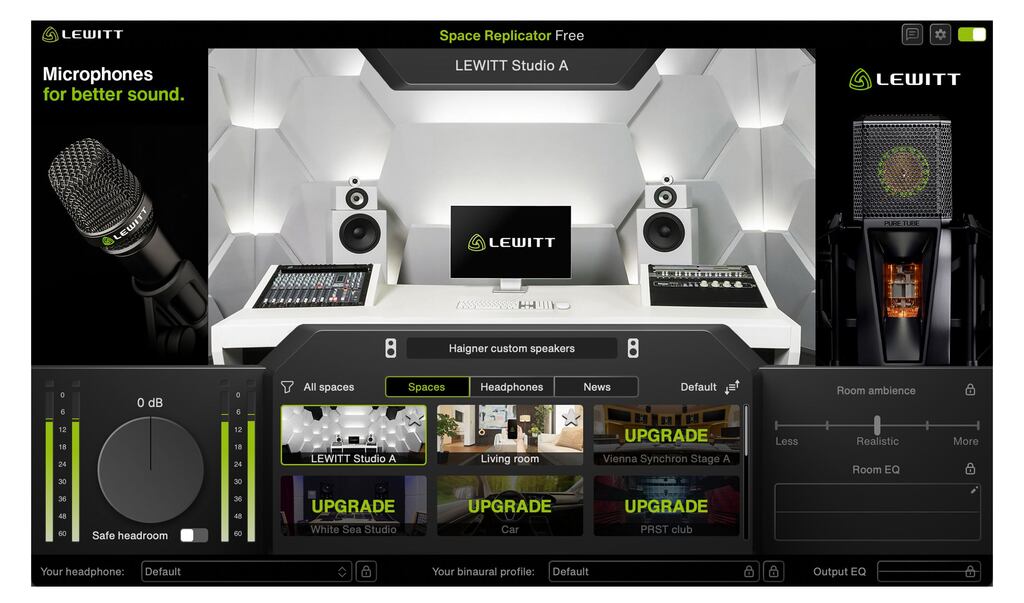
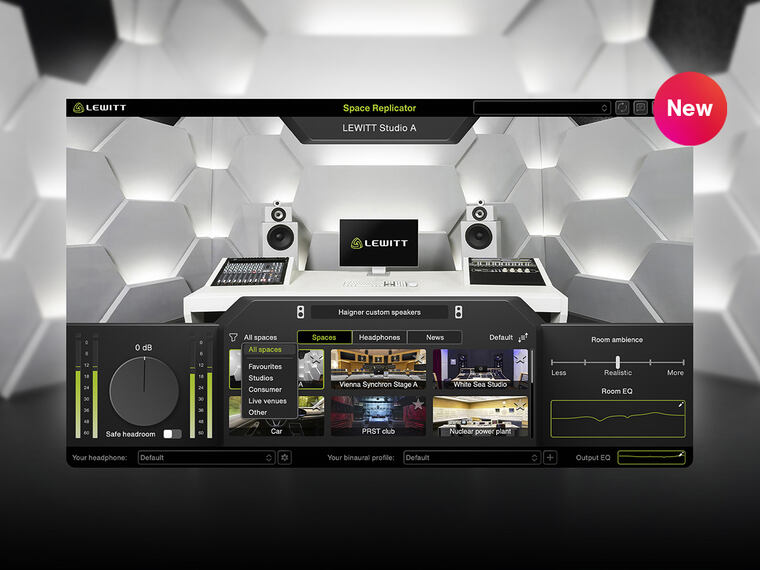
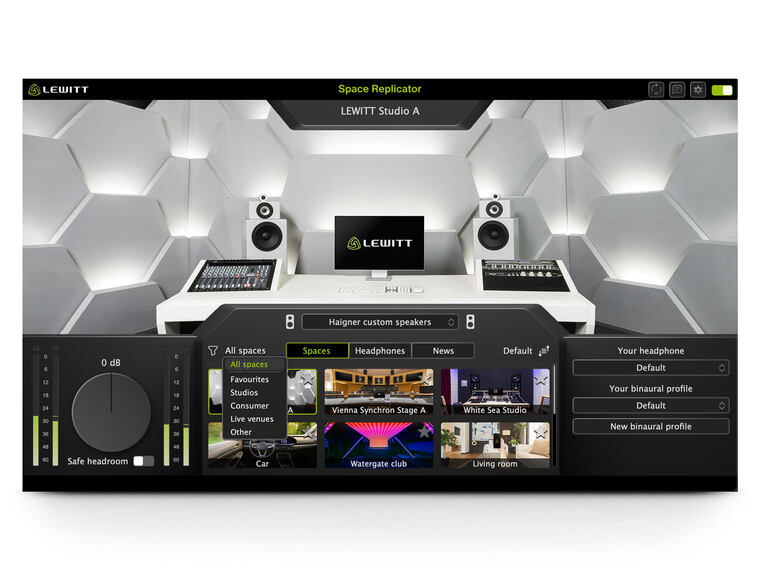
Space Replicator Free is LEWITT’s free virtual monitoring plugin, made for mixing on headphones. It gives you three playback environments:
Mix your song in the first one and check it in the other two. Checking a mix through several playback systems is a great way to catch what a single monitoring setup hides. And for most home setups, having a professionally treated room with multiple playback systems is simply out of reach.
It works with whatever headphones you already own, offering 800+ compensation profiles to correct the frequency response for the most accurate listening experience.
It also runs as a standalone app on macOS and Windows, so the same calibration can be applied to Spotify, YouTube, and anything else you listen to.
Formats are VST3, AAX, and AU, plus the standalone app. You sign up on the LEWITT website, and the download instructions come by email.
It gives you an accurate listening experience you can trust and a fast way to hear how your mix translates on other systems. It can't completely replace the need for good speakers and an acoustically treated room, but provides a really helpful reference if you are mixing on the go or just limited by the constraints of your current space.
Get Space Replicator Free here.
If you want more rooms and more features, Space Replicator Essential and Space Replicator build on the same engine.
Stock EQs are good these days, and you can mix a whole record with stock plugins. But these two are worth adding to your list because they each do something a stock EQ cannot.
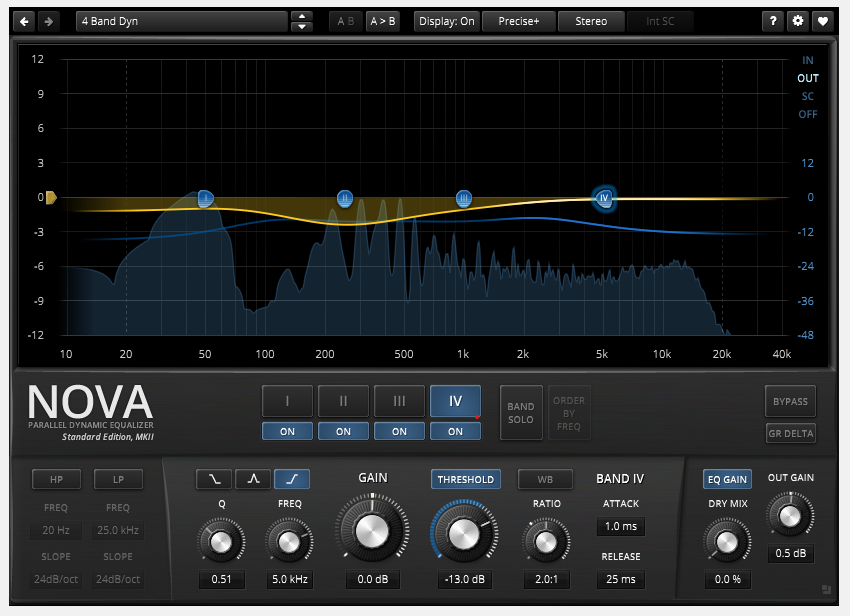
Nova is a parallel dynamic equalizer. Each band reacts to the signal instead of sitting at a fixed gain, so you can pull down a resonance only when it actually rings out rather than dulling the whole track to control one note.
That makes it the first reach for a boxy acoustic guitar, or a vocal with one loud problem frequency you only hear on certain words.
A dynamic EQ lets you pull down a resonance only when it rings out, instead of dulling the whole track to control one note.
Free, no registration, VST2, VST3, AU, and AAX, Windows and macOS, including Apple Silicon. There is a paid Gentleman’s Edition with more bands and deeper dynamics processing, but the free version is a very capable tool as well.
Get it here: https://www.tokyodawn.net/tdr-nova/
SlickEQ does a different job than a typical parametric EQ. It is a broad, musical tone-shaping EQ for mix bus and mastering work, where you want to make gentler, smoother tone adjustments rather than surgical, precise cuts and boosts.
You get three bands, several filter and saturation models, and an output stage. It is the one to put across a mix when you want it to feel warmer or brighter as a whole. Same platform support as Nova, also free, also no registration.
Get it here: https://www.tokyodawn.net/tdr-vos-slickeq/
Here are two free compressors that do very different jobs. Both are worth having.
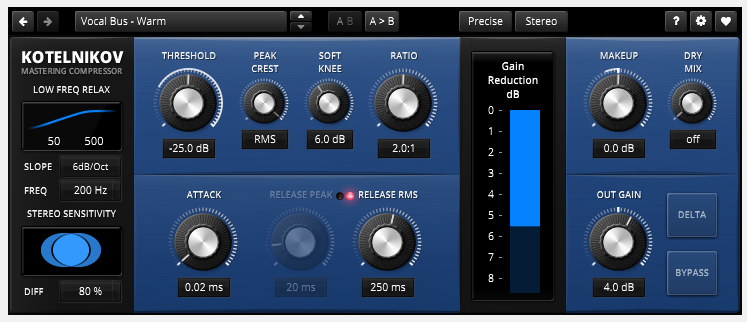
A wideband dynamics processor built for clean, controlled gain reduction. This is the one for the mix bus or a stem when you want transparent dynamic control.
It has the strongest reputation of any free compressor, and that is because it stays out of the way: it controls the level without coloring the signal.
Free, no registration, VST2, VST3, AU, and AAX, Apple Silicon native.
Get it here: https://www.tokyodawn.net/tdr-kotelnikov/
MJUC jr. is the opposite kind of tool. It is a variable-mu compressor modeled on the tube compression of the 1950s and early 1960s, and it is meant to add character to the sound. Drums and vocals are where it does its best work.
Klanghelm calls it freeware outright. It is a cut-down version of the MJUC with fewer models, but it holds up on real sessions.
Get it here: https://klanghelm.com/contents/products/MJUCjr.html
This is the category where the free options compete very closely with paid ones, and it helps to know what these plugins are actually doing.
Analog tape saturates when you push it past its maximum level. Rather than resulting in hard clipping which can be harsh and abrasive, tube and tape saturation have a soft clipping behavior that more gently control dynamics and add harmonic color. Digital distortion simply folds or clips the waveform.
Analog-modeled saturation plugins exist to offer a smoother way to control peaks and add character.
It is also worth knowing that “warm” is a subjective description, usually applied to tape saturation or colored amplifiers rather than to anything measurable. It's less about any specific EQ profile and more about the presence of harmonic distortion generally.
One knob, plus three modes for where the saturation focuses in the spectrum. It appears on almost every free plugin list and it earns the spot, because you can get a good result out of it in seconds.
Free, in AU, VST, VST3, and AAX. Worth knowing before you commit: it is distributed through Softube Central and needs both a Softube account and an iLok account.
Get it here: https://www.softube.com/us/plug-ins/saturation-knob
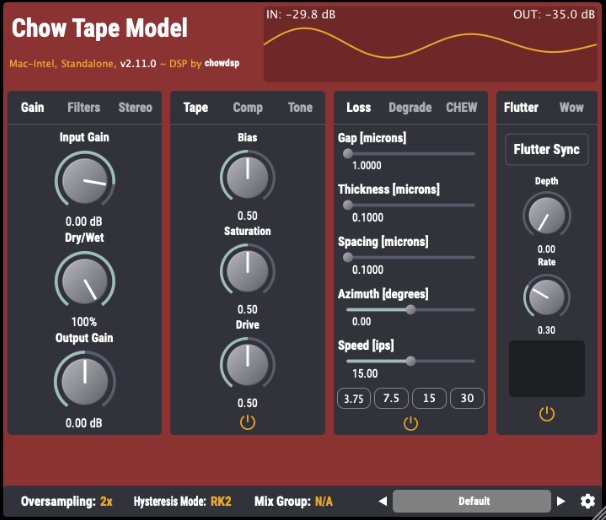
A physical model of a reel-to-reel tape machine, and open source under GPLv3. The controls map to real tape behavior such as wow, flutter, and saturation depth rather than to a set of fixed presets.
It has the broadest format support on this list by some distance: VST, VST3, AU, AAX, AUv3, CLAP, LV2, and standalone, on Windows, macOS, Linux, and iOS. Direct download, no account needed.
Get it here: https://chowdsp.com/products.html
One free de-esser stands out.
De-essing is a specialized form of compression. Split band de-essers compress only the high-frequency band where the “s” and “sh” sounds sit, typically somewhere between 3 and 8 kHz depending on the singer, so the rest of the vocal is left alone. Wide band de-essers reduce sibilance by turning down the whole signal whenever sibilance is detected within a certain frequency band.
T-De-Esser 2 is a split band de-esser that tames sibilance with a single control and sounds effortless and natural on most vocals.
Free, in VST, VST3, AU, and AAX on both platforms, plus AUv3 on iPad. It does require registration to download.
Split-band de-essers compress only the high-frequency band where the s and sh sounds sit, so the rest of the vocal is left alone.
Get it here: https://techivation.com/t-de-esser/
Good free reverbs are hard to find. Most experienced engineers still spend money to get the best tools in this category.
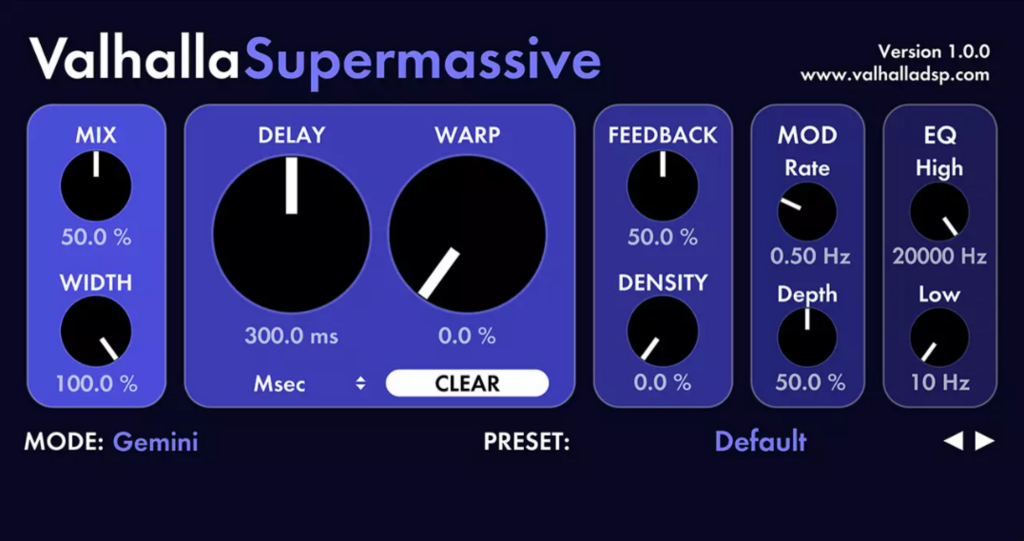
Supermassive is the most widely recommended free reverb, and it deserves that. It has 22 modes covering everything from long delays to enormous washes.
It is built for long decays and big spaces rather than the short, intimate room sound you would reach for to place a vocal, so treat it as an effect rather than as a realistic space.
Version 5.0.0 landed in November 2025, so it is actively maintained. VST2.4, VST3, AAX, and AU, 64-bit, Intel and Apple Silicon, no registration.
Get it here: https://valhalladsp.com/shop/reverb/valhalla-supermassive
Metering tools are easy to skip but they will save you more time than almost anything else here. Both of these options are free.
A real-time FFT spectrum analyzer with correlation metering. When something sounds wrong and you cannot put your finger on it, SPAN will usually show you where to look--or rather, where to listen.
Free, no registration, in VST, VST3, AU, and AAX, Windows and macOS including Apple Silicon. SPAN Plus adds export and multi-track spectrum comparison.
Get it here: https://www.voxengo.com/product/spanplus/
Loudness metering for mastering. It shows perceived loudness in LUFS rather than peak level, which is what streaming platforms care about. Platforms normalize loudness on playback, so a master pushed louder than the target just gets turned down again on the way to the listener. Spotify targets around -14 LUFS.
The free version covers the metering itself. PRO adds streaming presets, the dynamics graph, export, and saved presets. Standalone, VST2, VST3, AAX, and AU.
Get it here: https://youlean.co/youlean-loudness-meter/
If you only install three today, make it these:
Then add Nova when a specific frequency starts misbehaving, Chow Tape Model when a track feels too clean, and Youlean before finalize your master.
Q: Are free plugins good enough for professional mixes?
A: For most jobs on this list, yes. EQ, compression, saturation, and metering are all well covered by free tools that hold up for professional work. The honest exceptions are reverb, where the good options are still mostly paid, and precision limiting, where the free field is thinner than it used to be.
Q: What is the best free VST plugin?
A: TDR Kotelnikov, if you only get one. It does the job that stock plugins do worst, it is transparent enough to use anywhere in a mix. When it comes to mixing on headphones, LEWITT Space Replicator Free is basically unmatched in the virtual studio monitoring world.
Q: What VST plugins do professionals use?
A: Mostly paid ones. That said, several plugins on this list sit in professional sessions every day, and the gap between free and paid is much smaller than it was ten years ago.
Q: Do free plugins work in every DAW?
A: Almost. Between VST3, AU, and AAX, everything here covers the major DAWs on Windows and macOS. Check the format list before you download if you are on Pro Tools, since AAX support is the one that varies most.
Q: Can a plugin really make headphones sound like a studio?
A: It can get you much closer. Frequency compensation flattens the response of your specific headphones, and binaural processing rebuilds the stereo image you would get from speakers in a room. It gets you a lot closer, though not all the way, so keep checking your mixes on speakers too.
Related stories
Space Replicator 2.0 update - New spaces, features, and headphone simulations
LEWITT’s Space Replicator, a plugin for mixing in virtual studios and mix translation checks, has received a big update.

Mixing on headphones
To make great mixes, you need to hear your music accurately and in detail across the frequency spectrum. Without a well-tuned, acoustically treated studio, this…
Interview with audio mastermind of the new club in Space Replicator – PRST
We will soon release a new update for the Space Replicator plugin. In the update, we will add new spaces. One of them is the club called PRST in Vienna. PRST is…
The tech behind the LEWITT Space Replicator plugin
Up until now, LEWITT offered microphones for recording and live performing and audio interfaces. What comes after recording? Mixing, correct! Space Replicator…

.jpeg)